
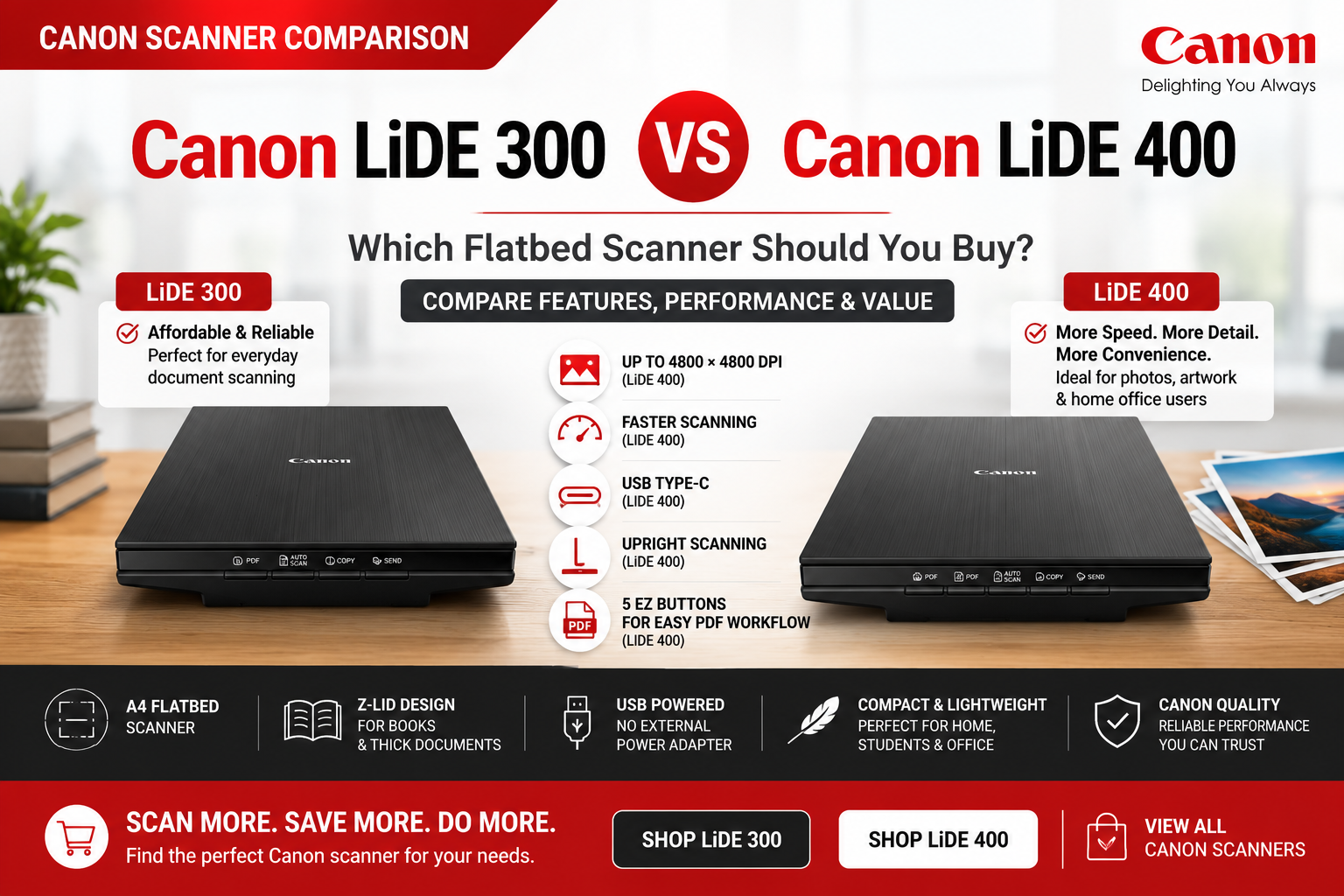
Canon LiDE 300 vs LiDE 400 – Which Flatbed Scanner Should You Buy?
The Canon CanoScan LiDE 300 and Canon CanoScan LiDE 400 are two of Canon’s most popular compact A4 flatbed scanners for home users, students, photographers and small offices.
Both models are slim, lightweight and powered directly through a USB connection, making them easy to install without a separate power adapter. They can scan photos, documents, books, certificates, receipts and other flat originals up to A4 size.
However, the LiDE 400 adds several useful upgrades, including faster scanning, double the optical-resolution specification, USB Type-C connectivity, upright scanning and an additional button for multi-page PDF creation.
With the current promotional price difference between the two models being relatively small, many customers may find that the LiDE 400 offers better overall value.
Quick Verdict
Choose the Canon LiDE 300 if you want the lowest purchase price and mainly scan ordinary documents, certificates, receipts or occasional family photographs.
Choose the Canon LiDE 400 if you regularly scan photos or artwork, want faster operation, prefer USB Type-C or would benefit from upright space-saving scanning.
Our value recommendation: At the current OzToner promotional prices, the LiDE 400 is the stronger overall purchase. After its advertised extra checkout discount, the real price difference can be very small, making the additional features well worth considering.
Current OzToner Pricing
| Model | Advertised Price | Current Promotion | Best Value Position |
|---|---|---|---|
| Canon LiDE 300 | $129.98 | Special sale price | Lowest upfront cost |
| Canon LiDE 400 | $159.00 | Extra 10% off at checkout | Best overall feature value |
Prices and promotions are current at the time of publication and may change without notice. Always confirm the latest product-page price before purchasing.
Canon LiDE 300 vs LiDE 400 Comparison
| Feature | Canon LiDE 300 | Canon LiDE 400 | Practical Impact |
|---|---|---|---|
| Scanner Type | A4 flatbed scanner | A4 flatbed scanner | Same basic design |
| Optical Resolution | 2400 × 2400 dpi | 4800 × 4800 dpi | LiDE 400 captures more fine detail |
| A4 Scan Speed | Approx. 10 seconds | Approx. 8 seconds | LiDE 400 is around 20% faster |
| One-Touch Buttons | 4 EZ buttons | 5 EZ buttons | LiDE 400 offers easier multi-page PDF handling |
| USB Connection | USB Mini-B | USB Type-C | LiDE 400 uses the newer connector |
| USB Powered | Yes | Yes | No separate power adapter required |
| Upright Scanning | No | Yes | LiDE 400 saves more desk space |
| Z-Lid for Books | Yes | Yes | Both can scan thicker originals |
| ADF | No | No | Pages must be loaded manually |
| Dimensions | 367 × 250 × 42 mm | 367 × 250 × 42 mm | Same size |
| Weight | Approx. 1.7kg | Approx. 1.7kg | Same portability |
Canon LiDE 300: Best for Budget-Conscious Everyday Scanning
The Canon LiDE 300 is the more affordable model and remains an excellent choice for straightforward home and office scanning.
Its 2400 × 2400 dpi optical resolution is more than sufficient for:
- Letters and forms
- Certificates
- Receipts and invoices
- School assignments
- Identification documents
- Basic family-photo archiving
- Books and magazines
Most ordinary documents are scanned at only 200 or 300 dpi. At these settings, the LiDE 300 can produce clear, readable PDFs and image files without requiring the much higher maximum resolution of the LiDE 400.
Who should buy the Canon LiDE 300?
- Students
- Home users
- Occasional office users
- Customers scanning mostly documents rather than detailed photographs
- Buyers who want the lowest upfront price
- Users who do not require upright scanning or USB Type-C
Best reason to choose it: It delivers all the essential flatbed-scanning functions at the lowest cost.
Canon LiDE 400: Best Overall Value and Best for Photos
The Canon LiDE 400 is the premium model in this compact flatbed range.
It offers several meaningful improvements:
- 4800 × 4800 dpi optical resolution
- Faster A4 scanning
- USB Type-C connectivity
- Upright scanning and storage
- A fifth EZ button for multi-page PDFs
The higher optical resolution is particularly useful when scanning:
- Old photographs
- Small printed photos
- Artwork and illustrations
- Images that will be enlarged
- Photos that will be cropped or restored
- Fine printed details
Its upright scanning option is also valuable for small desks, reception counters and home offices where the scanner cannot remain flat permanently.
Who should buy the Canon LiDE 400?
- Photo enthusiasts
- Artists and designers
- Users digitising old family photographs
- People scanning more frequently
- Customers who want USB Type-C
- Users with limited desk space
- Anyone regularly creating multi-page PDFs
Best reason to choose it: For only a small additional cost under the current promotion, it offers better speed, resolution and convenience.
Is the LiDE 400 Worth Paying More For?
At normal retail pricing, the choice depends on whether the buyer will use the LiDE 400’s additional features.
At the current OzToner promotional pricing, however, the decision becomes easier.
The LiDE 300 is currently advertised at approximately $129.98. The LiDE 400 is advertised at approximately $159 with an additional 10% off at checkout.
After the additional discount, the LiDE 400 may cost only around $13 more than the LiDE 300.
For this relatively small price difference, the buyer receives:
- Double the maximum optical-resolution specification
- Approximately 20% faster A4 scanning
- USB Type-C
- Upright scanning
- An additional PDF workflow button
Our recommendation: If the promotional discount remains available, the Canon LiDE 400 provides the better price-to-performance ratio for most buyers.
When the LiDE 300 Is Still the Better Choice
The LiDE 300 remains the sensible option when:
- Your budget is extremely tight
- You scan only occasionally
- You mainly scan text documents at 300 dpi
- You do not scan photographs or artwork
- You do not need upright operation
- You prefer to spend the absolute minimum
There is little reason to pay for 4800 dpi resolution if the scanner will only be used for occasional invoices, certificates and forms.
When the LiDE 400 Is the Smarter Long-Term Buy
The LiDE 400 is the better long-term purchase when:
- You expect to scan photos in the future
- You value faster operation
- Your desk space is limited
- You prefer a modern Type-C connection
- You create multi-page PDFs
- The checkout promotion keeps the price difference small
Even if you do not need every premium feature immediately, the small upgrade cost can make the LiDE 400 more flexible over several years of ownership.
Important Limitation: Neither Model Has an ADF
Both the LiDE 300 and LiDE 400 are manual flatbed scanners. Each page must be placed on the scanning glass individually.
They are ideal for photos, books, certificates and occasional documents, but they are not suitable for regularly scanning large batches of paperwork.
Consider a sheet-fed document scanner instead if you need:
- Automatic document feeding
- Automatic duplex scanning
- High-volume invoice scanning
- Fast multi-page document conversion
- Shared office scanning
Browse all Canon flatbed and document scanners
Final Recommendation
Both Canon scanners offer excellent value for straightforward A4 flatbed scanning.
Choose the Canon LiDE 300 if you want the lowest price and mainly scan everyday documents or occasional photos.
Choose the Canon LiDE 400 if you want better photo detail, faster scanning, USB Type-C, upright operation and improved PDF convenience.
Given the current promotional pricing, our overall recommendation is the Canon LiDE 400. The effective price difference is small enough that most customers will receive better long-term value from the upgraded model.
Choose Your Canon CanoScan
Need an affordable scanner for documents and occasional photos? Choose the Canon LiDE 300.
Want higher photo resolution, faster scanning and better overall long-term value? Upgrade to the Canon LiDE 400.
Frequently Asked Questions
What is the main difference between Canon LiDE 300 and LiDE 400?
The LiDE 400 offers higher optical resolution, faster scanning, USB Type-C, upright scanning and an additional button for multi-page PDFs. The LiDE 300 is the more affordable basic model.
Which Canon scanner is better for photos?
The Canon LiDE 400 is better for photographs because it offers up to 4800 × 4800 dpi optical resolution compared with 2400 × 2400 dpi on the LiDE 300.
Which scanner is better for ordinary documents?
For letters, forms, receipts and certificates scanned at 200 or 300 dpi, the Canon LiDE 300 is generally sufficient.
Is the Canon LiDE 400 worth the extra money?
Yes, particularly when the price difference is small. Its faster scanning, higher resolution, USB Type-C and upright operation provide better overall flexibility.
Does the Canon LiDE 300 have USB Type-C?
No. Canon specifies a USB Mini-B connection for the LiDE 300. The LiDE 400 uses USB Type-C.
Do these scanners need a separate power adapter?
No. Both models receive power through their USB connection.
Can the Canon LiDE 400 scan vertically?
Yes. The LiDE 400 includes an upright scanning and storage option designed to save desk space.
Can the Canon LiDE 300 scan books?
Yes. The LiDE 300 includes Canon’s double-hinge Z-Lid for scanning bulky originals up to approximately 21mm thick.
Do either of these scanners have an automatic document feeder?
No. Both are manual flatbed scanners, so each page must be positioned on the glass individually.
Can the Canon LiDE 300 or LiDE 400 scan both sides automatically?
No. They do not provide automatic duplex scanning.
Which model is best for students?
The LiDE 300 is usually sufficient for students scanning assignments, forms and notes. The LiDE 400 is better for design, photography or art students requiring higher image detail.
Which model offers the best value at OzToner?
Under the current promotion, the LiDE 400 offers the strongest overall value because its extra checkout discount reduces the effective price difference between the two models.
What warranty is included?
Canon LiDE scanners supplied new in Australia include a 12-month Canon manufacturer warranty, subject to Canon’s warranty conditions.
