
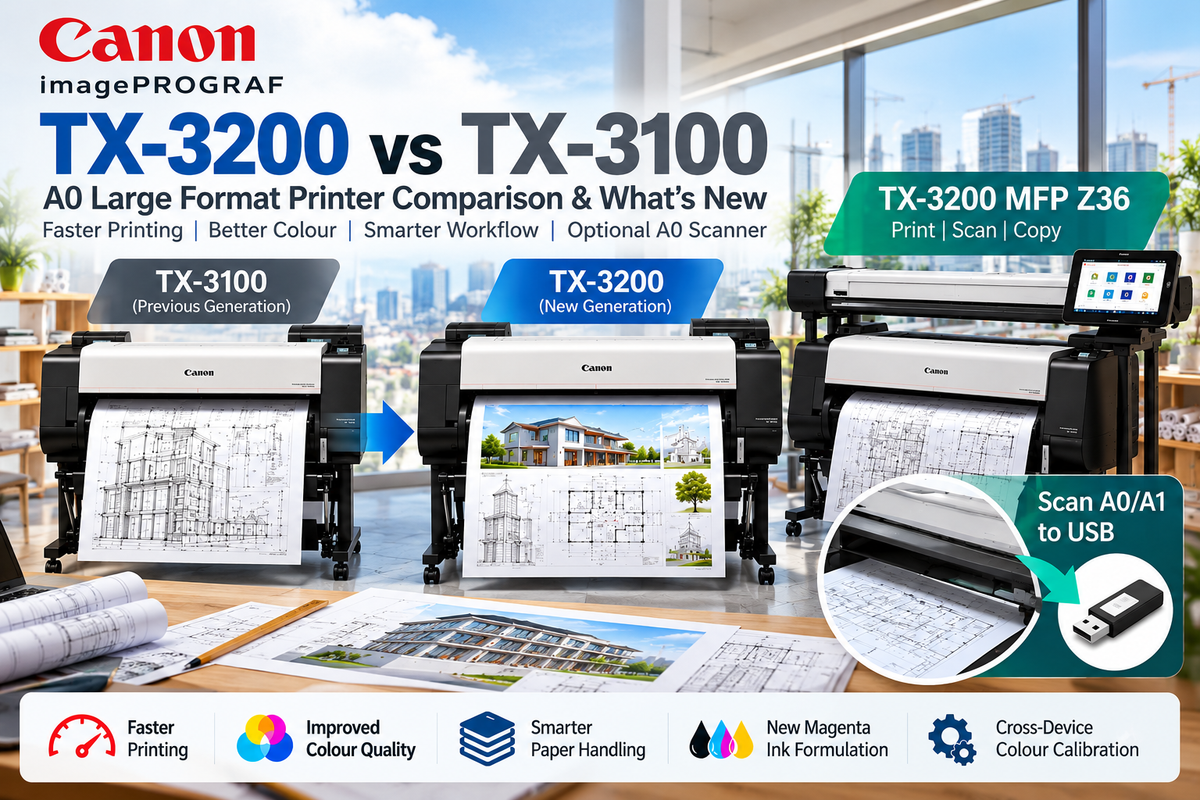

Canon imagePROGRAF TX-3200 vs TX-3100: What's New in Canon's 36-Inch A0 Printer?
A faster, smarter generation of large-format printing — with an optional 36-inch scanner for A0 and A1 document digitisation.
Canon's imagePROGRAF TX-3200 succeeds the popular TX-3100, bringing improvements in print productivity, colour reproduction and workflow efficiency to architects, engineers, construction professionals and print service providers.
Designed for A0 technical drawings, CAD plans, GIS maps and full-colour posters, the new 36-inch TX-3200 combines high-speed printing with Canon's latest image-processing technology and five-colour pigment ink system.
For businesses needing more than printing, the TX-3200 MFP Z36 adds professional large-format scanning and copying, including the ability to scan A0 and A1 documents directly to digital files.
Canon TX-3200 vs TX-3100: Key Differences
| Feature | TX-3100 (Previous) | TX-3200 (New) |
|---|---|---|
| Maximum print width | 36 inches / A0 | 36 inches / A0 |
| A1 CAD speed, Fast Economy | Approx. 18 seconds | Approx. 17 seconds |
| A0 CAD speed, Fast Economy | Approx. 34 seconds | Approx. 32 seconds |
| Maximum print resolution | 2400 × 1200 dpi | 2400 × 1200 dpi |
| Ink system | 5-colour pigment | Enhanced 5-colour pigment |
| Magenta ink | Previous formulation | Improved vivid magenta |
| Colour calibration | Previous colour-management system | New cross-device colour calibration |
| Roll media handling | Automatic loading | Improved loading and detection |
| Dual roll support | Optional | Optional |
| Printhead | PF-06 | PF-06 |
| Maintenance cartridge | MC-30 | MC-30 |
| Optional A0 scanner | Z36 | Z36 |
Speeds are based on Canon's published CAD printing tests. Actual results depend on print settings, media and document complexity.
1. Faster Printing for Busy CAD Environments
The TX-3200 can produce an A1 CAD drawing in approximately 17 seconds, compared with 18 seconds for the TX-3100.
For A0 CAD drawings, the new model takes approximately 32 seconds in Fast Economy mode, compared with 34 seconds previously.
While these improvements are modest on individual drawings, they contribute to better productivity when combined with improved media handling and workflow automation.
2. Improved Colour Reproduction and Line Quality
One of the more significant upgrades is Canon's improved image-processing technology and enhanced magenta pigment ink.
The TX-3200 is designed to produce:
-
Sharper CAD lines and fine text
-
More vivid reds and richer poster colours
-
Better reproduction of architectural perspectives
-
Improved colour consistency across compatible printers
The new colour-calibration functionality is especially valuable for businesses operating multiple TX-series devices.
3. Smarter Paper Handling
Canon has refined its automatic media-loading system to simplify daily operation.
The TX-3200 automatically detects roll-paper characteristics, including media width, and supports an optional second roll through the RU-32 Multifunction Roll System.
This is useful when switching between A1 and A0 drawings or different paper types.
4. Hot-Swap Ink for Uninterrupted Productivity
The TX-3200 retains Canon's sub-ink tank system, allowing compatible ink tanks to be replaced during printing.
This helps minimise interruptions during larger print jobs.
Canon TX-3200 Ink Cartridges and Consumables
The TX-3200 uses five pigment colours:
-
Matte Black (MBK)
-
Black (BK)
-
Cyan (C)
-
Magenta (M)
-
Yellow (Y)
Three replacement ink capacities are available.
| Capacity | Ink Cartridge Series |
|---|---|
| 160ml | PFI-110 series, PFI-111 Magenta |
| 330ml | PFI-310 series, PFI-311 Magenta |
| 700ml | PFI-710 series, PFI-711 Magenta |
Important: The TX-3200 uses the newer PFI-111/311/711 Magenta cartridges rather than the previous-generation magenta formulations. Always confirm the correct colour-specific part number before ordering.
Other replaceable consumables include the Canon PF-06 Print Head, MC-30 Maintenance Cartridge and CT-07 Cutter Blade.
Canon TX-3200 MFP Z36: A0 Printing, Scanning and Copying
For customers who regularly handle physical engineering drawings, construction plans, maps or archival documents, the Canon imagePROGRAF TX-3200 MFP Z36 offers a multifunction alternative.
It combines the TX-3200 large-format printer with a dedicated 36-inch Z36 scanner and 15.6-inch touchscreen system controller.
Z36 Large-Format Scanner Features
The scanner uses Canon's integrated SingleSensor CIS scanning technology and supports:
-
Up to 36-inch (914mm) scanning width
-
Up to 38-inch (965mm) document width
-
1200dpi optical scanning resolution
-
Up to 13 inches/second monochrome scanning at 200dpi
-
Up to 3 inches/second colour scan-to-file at 200dpi
-
PDF, JPEG and TIFF file output
-
Scan-to-USB functionality
-
Scan-to-folder and supported network workflows
-
Large-format copying through the connected printer
Can the Canon TX-3200 MFP Scan A0 or A1 Drawings Without Printing?
Yes. The Z36 scanner can digitise A0 and A1 drawings and save them as electronic files without producing a printed copy.
Using the SmartWorks MFP interface, users can scan drawings, preview the results and save the digital files to supported storage destinations, including USB memory.
This is particularly useful for architects, engineers and construction businesses converting paper plans into digital archives.
Can the Z36 Scanner Be Used Completely Separately from the Printer?
The Z36 is a physically separate scanner assembly with its own power supply and connection to the dedicated system controller.
However, physical separation does not necessarily mean fully independent operation.
Canon's standard SmartWorks MFP software requires recognition of a compatible printer to enable the Z-series scanning system. Customers should therefore not assume the scanner can be permanently detached and operated as a standalone A0 scanner without the printer.
For businesses requiring scanning only, without any printing capability, we recommend confirming the installation and licensing requirements before purchase.
Who Should Choose the TX-3200?
The TX-3200 is ideal for businesses needing reliable A0 and A1 printing, including:
-
Architecture and engineering practices
-
Construction and building companies
-
Surveying and GIS departments
-
Government and educational institutions
-
CAD and technical drawing services
-
Commercial poster and signage printing
For businesses that also need to digitise existing paper drawings, the TX-3200 MFP Z36 offers the additional convenience of large-format scanning, copying and scan-to-file workflows.
Final Verdict: Is the TX-3200 Worth Upgrading To?
The Canon TX-3200 builds on the successful TX-3100 with incremental speed improvements, better colour reproduction, improved paper handling and new colour-calibration capabilities.
For existing TX-3100 owners, the decision to upgrade will depend on printing volume, workflow requirements and the importance of improved colour consistency.
For new buyers, the TX-3200 offers an updated, professional 36-inch large-format printing platform.
And for businesses handling physical A0 or A1 drawings, the TX-3200 MFP Z36 adds a valuable document digitisation capability that goes well beyond ordinary printing.
Explore Canon imagePROGRAF TX-3200 printers and MFP solutions at OzToner.au.
Last Updated: 14 October 2026