
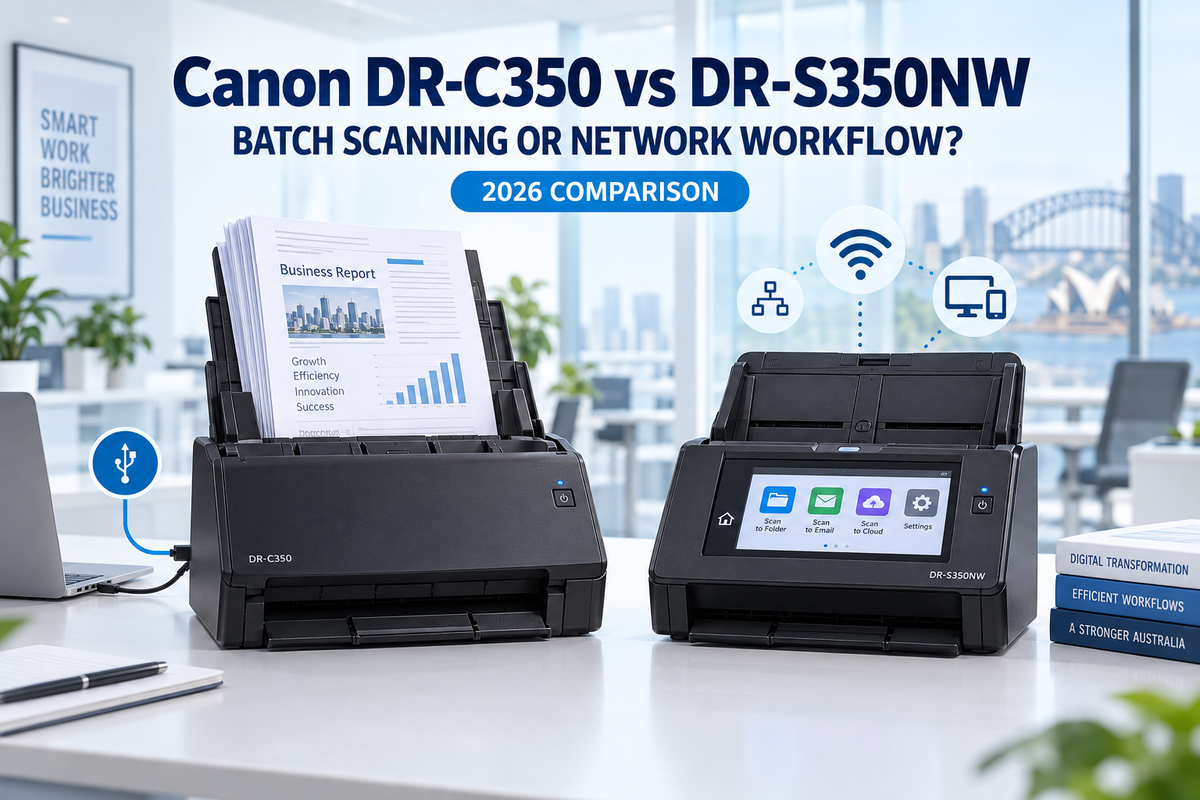
At first glance, the Canon imageFORMULA DR-C350 and DR-S350NW look like closely matched business document scanners. Both scan at up to 50 pages per minute or 100 images per minute in duplex mode, both offer 600 dpi optical resolution, and both are designed for demanding office workloads.
However, they are not simply two versions of the same scanner. The DR-C350 is designed primarily for fast, high-volume scanning at a dedicated computer, while the DR-S350NW is built for shared, network-connected and PC-less scanning. Choosing between them is therefore less about raw speed and more about how documents move through your workplace.
Quick answer: choose the Canon DR-C350 if one operator regularly scans large batches at a Windows PC and a 100-sheet feeder is important. Choose the Canon DR-S350NW if several users need to share a scanner, scan from a browser or mobile device, or send documents directly to email, network folders and other destinations without relying on a dedicated computer.
Canon DR-C350 vs DR-S350NW: key differences
| Feature | Canon DR-C350 | Canon DR-S350NW |
|---|---|---|
| Best suited to | Dedicated scanning stations and large batches | Shared offices, hybrid teams and network workflows |
| Rated scan speed | Up to 50 ppm / 100 ipm | Up to 50 ppm / 100 ipm |
| ADF capacity | 100 sheets | 60 sheets |
| Suggested daily volume | 5,000–8,000 scans per day | 6,000–9,000 scans per day |
| Connectivity | USB Type-C | USB, Gigabit Ethernet and dual-band Wi-Fi |
| Standalone scanning | No; normally operates through a connected computer | Yes; direct jobs can run from the touch panel |
| Control panel | Compact LCD and physical controls | 4.3-inch colour touchscreen with image preview |
| Driverless web scanning | No | Yes, through embedded CaptureOnTouch Lite Web |
| Maximum paper weight | Up to 413 gsm | Up to 255 gsm |
Speeds are manufacturer-rated maximums and can vary with resolution, colour mode, document type, software and the connected environment.
The biggest similarity: scanning performance
For standard office documents, neither model has a meaningful headline speed advantage. Canon rates both scanners at up to 50 ppm for single-sided pages and 100 ipm for double-sided pages. This makes either model suitable for invoices, application forms, customer records, delivery documents, contracts and other recurring A4 scanning work.
Both models use single-pass duplex scanning, so the front and back of a page are captured together. They also provide automatic image-processing functions such as blank-page removal, page-size detection, deskew, text enhancement, colour detection and ultrasonic double-feed detection.
The decision therefore comes down to batch capacity, connectivity and workflow rather than scan speed alone.
Why choose the Canon DR-C350?
The DR-C350 is the better fit when scanning is performed at a dedicated workstation. It connects by USB Type-C and works with Canon CaptureOnTouch Pro and supported scanner drivers on the connected computer.
A larger 100-sheet automatic document feeder
The DR-C350 holds up to 100 A4 sheets, compared with 60 sheets on the DR-S350NW. That 40-sheet difference matters when staff regularly process thick folders or repeated document batches. The operator spends less time dividing jobs and reloading the feeder, even though the rated scan speed is the same.
Broader heavy-media handling
Canon specifies a document-weight range up to 413 gsm for the DR-C350, while the DR-S350NW is rated up to 255 gsm. The DR-C350 can therefore be the more suitable option for workplaces that handle a wider mix of paper weights. It also supports plastic cards, embossed cards, long documents and passports, subject to Canon's stated feeding method and carrier-sheet requirements.
Compact design for busy counters and desks
At only 283 mm wide with the trays closed, the DR-C350 is designed for limited desk space. It is a strong match for reception counters, medical practices, legal offices, accounts departments, retail branches and service desks where one computer controls the scanning process.
Where the DR-C350 is less suitable
The USB-only design is simple and efficient, but it also defines the scanner's role. If several people need independent access from different computers or mobile devices, the DR-C350 generally requires the host computer and an appropriate shared workflow. It does not provide the DR-S350NW's built-in Ethernet, Wi-Fi or direct network destinations.
Why choose the Canon DR-S350NW?
The DR-S350NW is designed around shared access. Its combination of USB, Gigabit Ethernet and 2.4 GHz/5 GHz Wi-Fi allows it to sit on the office network instead of belonging to only one workstation.
Driverless scanning through a web browser
Canon's embedded CaptureOnTouch Lite Web lets users on the same network open the scanning interface in a compatible browser without first installing a conventional scanner driver. A user can also scan a QR code displayed on the scanner to connect a supported mobile device. This can simplify access for shared PCs, Macs, Chromebooks and mobile users, although available functions can vary by device and operating system.
Direct scanning without a computer
Preconfigured jobs can be selected from the 4.3-inch colour touchscreen, allowing documents to be sent over the network without a dedicated PC. Canon lists destinations including shared folders, email, printers and FTP, FTPS or SFTP servers. The touchscreen also supports scan previews, helping users check a document before it is sent.
Better suited to controlled multi-user workflows
The DR-S350NW includes user-access and restriction controls, document encryption options and network security features intended for shared deployments. It also supports an optional NFC reader. These functions make it the stronger choice where different users or departments need their own predefined jobs and access rules.
Higher suggested daily volume, but a smaller feeder
Canon suggests 6,000–9,000 scans per day for the DR-S350NW, slightly above the DR-C350's 5,000–8,000 range. However, duty-cycle guidance should not be confused with feeder capacity: the network model still holds 60 A4 sheets at a time. For very large individual batches, the DR-C350's 100-sheet ADF may produce a smoother operator experience.
Which model is faster in real office use?
On paper, the two scanners are tied. In practice, the faster choice depends on the surrounding workflow.
- The DR-C350 can be faster for centralised batch scanning because its 100-sheet feeder reduces reloads and the operator works directly from a dedicated computer.
- The DR-S350NW can be faster for distributed office work because users can select a saved job and send files directly to a destination without moving to a particular PC.
A scanner's ppm rating measures paper movement. It does not measure the time spent signing in, choosing file settings, transferring documents, naming files or walking between desks. The better workflow can save more time than a small difference in hardware speed—and in this comparison, there is no headline speed difference to begin with.
Which scanner is better for your business?
Choose the DR-C350 if:
- one person or one scanning station handles most document capture;
- you regularly load batches larger than 60 sheets;
- USB connectivity is sufficient;
- you need support for heavier paper stocks;
- you prefer to manage files and OCR workflows from the connected computer.
Choose the DR-S350NW if:
- the scanner will be shared by several staff members or departments;
- Ethernet or Wi-Fi connectivity is required;
- users need browser-based or PC-less scanning;
- you want one-touch jobs for email, shared folders, printers or secure server destinations;
- touchscreen operation, user controls and network security are more important than feeder size.
DR-C350 vs DR-S350NW: our verdict
The Canon imageFORMULA DR-C350 and DR-S350NW are parallel solutions for different types of office scanning—not a simple entry model and premium replacement.
The DR-C350 is the better batch-scanning specialist. Its 100-sheet feeder, USB Type-C connection, compact body and wider stated media-weight range make it well suited to a dedicated operator processing substantial document sets.
The DR-S350NW is the better shared-workflow scanner. It adds Ethernet, dual-band Wi-Fi, a large touchscreen, browser-based scanning and direct network destinations. Businesses are paying for easier access, deployment and routing rather than extra ppm.
If your main question is, “How can one person scan more pages with fewer reloads?”, start with the DR-C350. If it is, “How can several people scan securely to the right destination without depending on one PC?”, the DR-S350NW is the more appropriate choice.
For a broader comparison with Canon's R30 and R50 desktop models, read our Canon imageFORMULA Scanner Range Australia 2026 guide.
Frequently asked questions (FAQ)
Is the Canon DR-S350NW faster than the DR-C350?
No. Canon rates both at up to 50 ppm for simplex scanning and 100 ipm for duplex scanning. The DR-S350NW adds network and standalone workflow features, while the DR-C350 provides the larger 100-sheet feeder.
Can the Canon DR-C350 connect by Wi-Fi or Ethernet?
No. The DR-C350 is a USB Type-C scanner. For built-in Ethernet, dual-band Wi-Fi and network sharing, choose the DR-S350NW.
Can the DR-S350NW scan without a PC?
Yes. Users can launch predefined direct-scan jobs from its touchscreen and send files to supported network destinations. It also provides browser-based scanning through the embedded CaptureOnTouch Lite Web application.
Which model is better for scanning large batches?
The DR-C350 is generally more convenient for large individual batches because its ADF holds up to 100 A4 sheets. The DR-S350NW holds 60 A4 sheets but is better when multiple users need shared network access.
Do both scanners support double-sided documents?
Yes. Both models provide single-pass duplex scanning at up to 100 images per minute under Canon's rated conditions.
Last updated: 13 September 2026. Product specifications and availability may change. Always confirm current Australian stock, warranty and compatibility before ordering.