
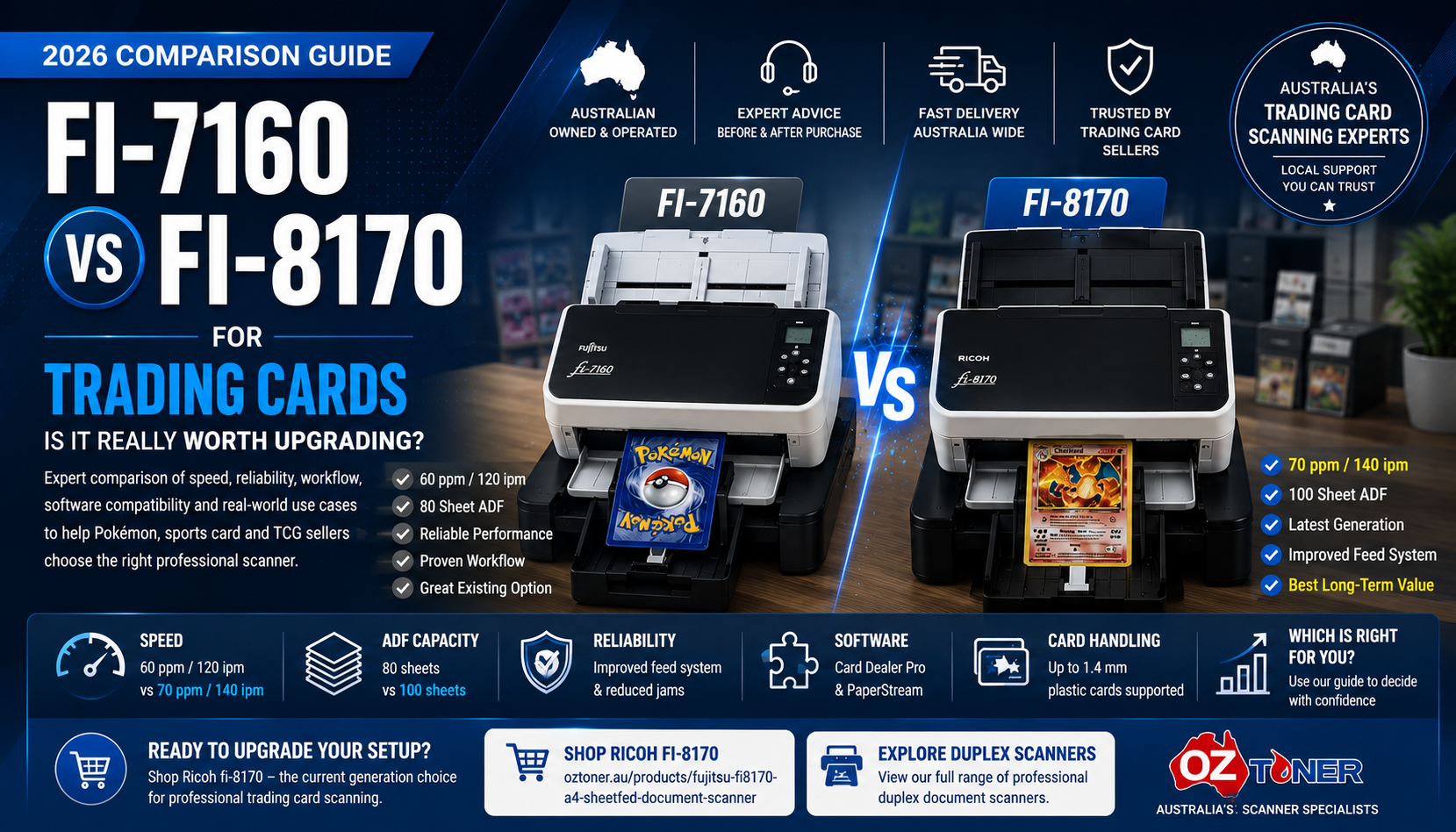
Ricoh fi-7160 vs fi-8170 for Trading Cards: Is It Really Worth Upgrading? (2026 Guide)
If you have been researching professional trading card scanners, you have probably noticed that the Ricoh fi-8170 now appears far more often than the older Fujitsu fi-7160.
But does that mean an existing fi-7160 is no longer suitable for Pokémon cards, sports cards or TCG inventory? Not necessarily. The real question is whether the newer fi-8170 offers enough practical workflow advantages to justify upgrading.
This guide compares the two scanners from a trading card seller's perspective—looking at speed, feeder capacity, image quality, software ecosystem, workflow efficiency and when an upgrade actually makes sense.
Start with our main Best Scanner for Pokémon, Sports & Trading Cards in Australia guide for the broader picture before comparing these two models.
The Short Answer
If you already own a reliable fi-7160, do not rush to replace it.
It remains a capable commercial scanner and can still work very well in trading card workflows.
However, if you are buying a scanner today for a new professional card business, the fi-8170 is generally the better long-term choice because it is faster, has a larger feeder and has become the current reference model in many modern trading card workflows.
fi-7160 vs fi-8170: Specification Comparison
| Feature | Ricoh / Fujitsu fi-7160 | Ricoh fi-8170 |
|---|---|---|
| Generation | Previous generation | Current generation |
| Scan Speed | 60 ppm / 120 ipm | 70 ppm / 140 ipm |
| ADF Capacity | 80 sheets | 100 sheets |
| Optical Resolution | 600 dpi | 600 dpi |
| Duplex Scanning | Yes | Yes |
| Software Ecosystem | PaperStream compatible | Current PaperStream platform |
| Trading Card Community Adoption | Still used | Much more common in current workflows |
On paper, the difference is evolutionary rather than revolutionary. The fi-8170 is faster and has a larger feeder, but both models remain commercial-grade duplex scanners with strong image-processing capability.
The more important difference is the ecosystem and community knowledge that has developed around the fi-8170.
Why the fi-8170 Has Become the Community Favourite
If you search recent trading card tutorials, seller workflows and software support material, the fi-8170 appears much more often than the fi-7160.
That creates a strong network effect:
That does not automatically make the fi-7160 bad. It simply means the fi-8170 has become today's default reference model for many new professional trading card setups.
How Much Faster Is the fi-8170?
The fi-7160 is rated at up to 60 pages per minute / 120 images per minute.
The fi-8170 increases that to up to 70 pages per minute / 140 images per minute.
That is roughly a 16–17% increase in rated scanning speed.
But for trading cards, raw speed is only one part of the workflow.
A scanner that requires frequent intervention, re-feeding or troubleshooting can quickly lose any theoretical speed advantage.
Why Feeder Capacity Matters
The fi-7160 uses an 80-sheet ADF, while the fi-8170 increases capacity to 100 sheets.
For office paperwork, that may sound like a minor difference.
For repetitive card scanning, however, fewer interruptions can improve the rhythm of a batch workflow.
That said, trading cards should not automatically be treated exactly like normal office paper. Card thickness, surface finish, sleeves and condition should always be considered before deciding how many cards to load at once.
What About Image Quality?
This is where many buyers expect the newer scanner to produce dramatically better images.
In reality, both scanners offer 600 dpi optical resolution.
For trading card listings, image quality is often influenced more by:
- Resolution settings
- Colour mode
- JPEG compression
- Automatic cropping
- Brightness and contrast
- Chrome / Holo profile settings
- Scanner glass cleanliness
So upgrading from a fi-7160 to a fi-8170 purely because you expect dramatically sharper images may not be the best reason to spend the money.
Before replacing the scanner, try optimising your settings using our Best Scanner Settings for Pokémon, Sports & Trading Cards guide .
Should Existing fi-7160 Owners Upgrade?
Keep Your fi-7160 If:
- It is already working reliably
- Your workflow is stable
- You are happy with current image quality
- You process moderate card volumes
- Speed is not currently a bottleneck
- You already understand your scanner settings
Consider the fi-8170 If:
- You are building a new card business
- You process large card volumes regularly
- You want the current-generation platform
- You want the model featured in more modern tutorials
- Your existing scanner is ageing or unreliable
- You want a larger ADF and more throughput
Who Should Buy a New fi-8170?
The strongest case for the fi-8170 is not necessarily someone who already owns a perfectly good fi-7160.
The strongest case is someone who is:
- Starting a new professional trading card business
- Moving from phone photography to automated scanning
- Replacing an ageing or unreliable scanner
- Building a high-volume eBay or Shopify listing workflow
- Looking for the scanner most commonly referenced in current specialist card workflows
Ricoh fi-8170 for New Professional Buyers
For customers building a new high-volume trading card scanning setup today, the fi-8170 is our preferred choice because it combines current-generation hardware, stronger throughput and much greater community adoption.
View Ricoh fi-8170What About Valuable or Delicate Cards?
Both the fi-7160 and fi-8170 are automatic sheet-fed scanners.
That means the card physically passes through rollers and guides.
For ordinary raw trading card inventory, this type of workflow is widely used.
But if your priority is avoiding feeder transport entirely, neither model solves that problem.
In that situation, an overhead scanner such as the ScanSnap SV600 may be worth considering.
Read our ScanSnap SV600 vs fi-8170 for Trading Cards comparison to see when contactless overhead scanning makes more sense than an automatic feeder.
Can Either Scanner Damage Trading Cards?
Before processing valuable inventory:
- Test with low-value cards first
- Keep the scanner transport path clean
- Inspect rollers and glass regularly
- Follow current software guidance
- Do not assume every sleeve behaves identically
- Use a non-feed capture method when transport contact is unacceptable
What About Chrome and Holo Cards?
Reflective Chrome, Holo and foil-style cards often benefit from different image settings from ordinary matte cards.
This is a software-profile issue more than a fi-7160-versus-fi-8170 issue.
Instead of expecting a newer scanner to automatically correct every reflective surface, create a dedicated image profile for those cards.
Our Trading Card Scanner Settings Guide covers a dedicated Chrome / Holo profile plus resolution, JPEG and cropping recommendations.
Our Recommendation by Situation
| Situation | Recommendation |
|---|---|
| Already own a reliable fi-7160 | Keep using it |
| fi-7160 has become unreliable | Consider upgrading to fi-8170 |
| Buying your first professional scanner | Choose fi-8170 |
| Starting a high-volume card business | Choose fi-8170 |
| Need contactless scanning for selected cards | Consider ScanSnap SV600 |
Frequently Asked Questions
Is the fi-7160 still good for trading cards?
Yes. If it is functioning reliably and your workflow works well, there is no reason to assume it needs replacing simply because the fi-8170 is newer.
Is the fi-8170 much faster?
It is rated at 70 ppm versus 60 ppm for the fi-7160, and it also has a larger 100-sheet ADF compared with 80 sheets.
Does the fi-8170 produce much better image quality?
Not necessarily. Both models offer 600 dpi optical resolution. Scanner settings, cleanliness and image processing can have a major influence on real-world card images.
Why do so many YouTube videos use the fi-8170?
Because it is the newer platform and has become the reference model in many current card-scanning tutorials and workflows. That popularity creates more tutorials, which in turn encourages more buyers to choose the same scanner.
Should I upgrade if I only scan a few hundred cards per month?
Probably not purely for speed. If your fi-7160 remains reliable, improving settings and workflow may produce more value than replacing the hardware.
What should a new buyer choose?
For a new professional trading card setup, we recommend the fi-8170.
Final Verdict
The fi-7160 did not suddenly become a bad scanner when the fi-8170 arrived.
It remains a capable commercial platform.
The fi-8170 has become more attractive because it is newer, faster, has a larger feeder and now sits at the centre of the modern trading card scanning ecosystem.
OzToner Quick Recommendation
Already own a good fi-7160 → Keep it and optimise your workflow.
Buying your first professional scanner → Choose the fi-8170.
Need more throughput or a newer platform → Upgrade to fi-8170.
Need contactless capture for selected cards → Consider the SV600.
Continue the OzToner Trading Card Scanner Series
01 — Complete Buying Guide
Best Scanner for Pokémon, Sports & Trading Cards in Australia
02 — fi-7160 vs fi-8170
You are currently reading our detailed upgrade comparison.
03 — Best Scanner Settings
Resolution, JPEG, cropping and Chrome / Holo settings
04 — ScanSnap SV600 vs fi-8170
High-speed sheet-fed scanning vs contactless overhead scanning
Thinking About Upgrading to the Ricoh fi-8170?
OzToner supplies professional Ricoh and Fujitsu scanners across Australia and is developing dedicated trading card scanning solutions for Pokémon, sports card and TCG sellers.
Shop Ricoh fi-8170 Browse Ricoh / Fujitsu ScannersScanner specifications, software compatibility and third-party trading card workflows may change over time. Trading card scanning involves physical handling of collectible items. Test any new scanning process with low-value cards before processing valuable inventory.