
Ricoh ScanSnap SV600 vs fi-8170 for Trading Cards: Which Scanner Is Better? (2026 Guide)
The Ricoh fi-8170 and ScanSnap SV600 can both be useful for trading card digitisation—but they solve completely different problems.
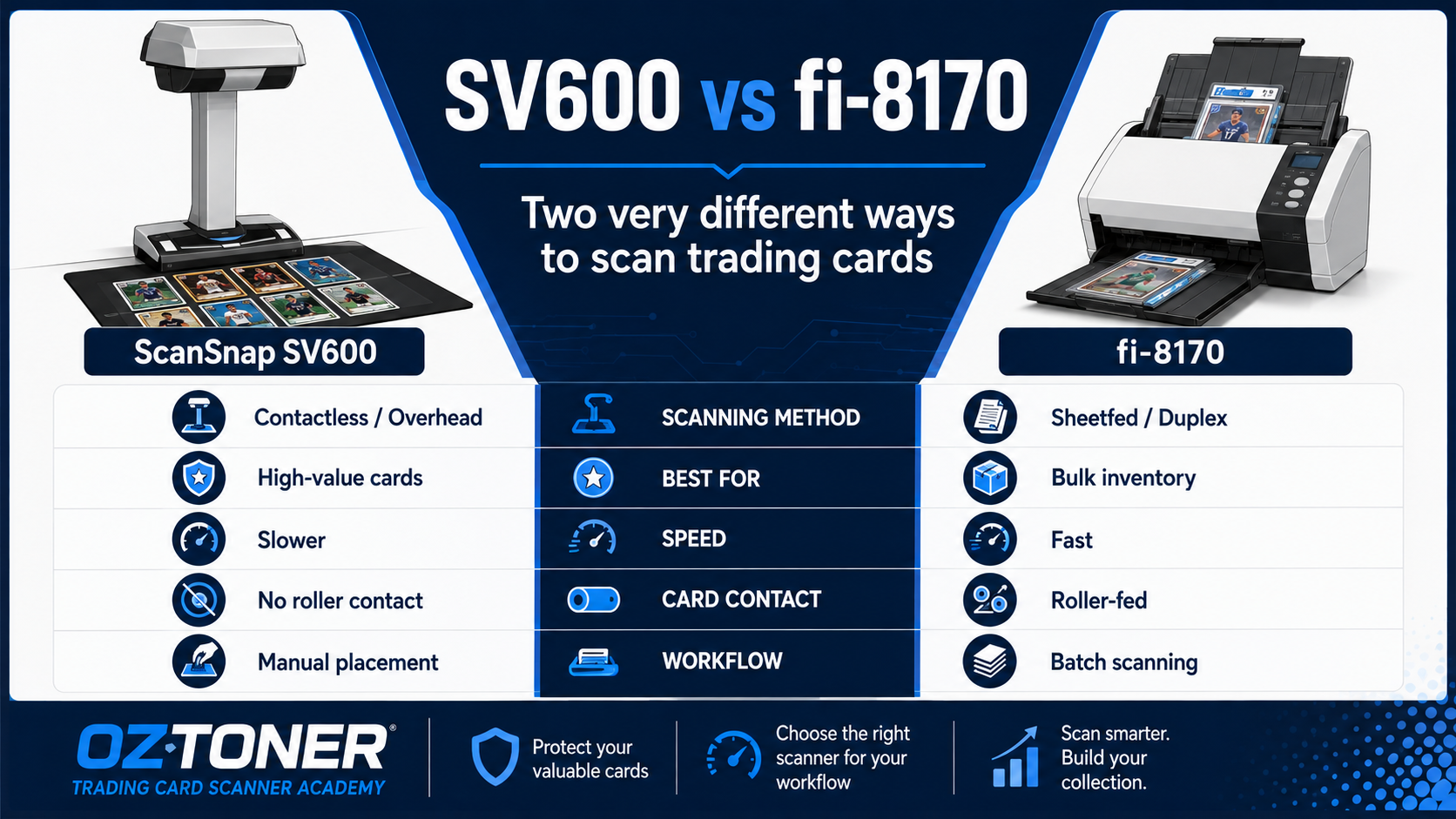
The fi-8170 is built for fast, repeatable duplex batch scanning. The SV600 takes the opposite approach: the card stays on the scanning surface while the scanner captures it from above. For Pokémon, sports card and TCG sellers, choosing between them depends less on image resolution and more on volume, handling preference and the value of the cards being scanned.
The Short Answer
For most professional sellers processing large quantities of raw cards, we recommend the Ricoh fi-8170.
If avoiding feeder rollers and transport mechanisms is more important than speed, the ScanSnap SV600 offers a very different contactless overhead approach.
For some serious collectors and dealers, the best answer may actually be a hybrid workflow: fi-8170 for bulk inventory and SV600 for selected premium cards.

SV600 vs fi-8170: The Fundamental Difference
The biggest difference is not speed or resolution. It is how the card physically moves—or does not move—during scanning.
| Feature | ScanSnap SV600 | Ricoh fi-8170 |
|---|---|---|
| Scanning Method | Overhead / Contactless | Sheet-fed ADF |
| Card Movement | Card remains stationary | Card passes through rollers and guides |
| Best For | Selected delicate or premium cards | Bulk trading card inventory |
| Workflow | Manual placement | Automatic batch scanning |
| Duplex | No automatic front-and-back feed | Yes |
| Maximum Document Area | Up to A3 scanning area | A4 sheet-fed workflow |
Why the fi-8170 Is Better for Bulk Trading Card Sellers
For a professional seller processing hundreds or thousands of cards, workflow speed quickly becomes the dominant factor.
The Ricoh fi-8170 is designed around exactly that kind of repetitive batch processing.
Its key advantages include:
- Up to 70 ppm / 140 ipm at 200/300 dpi
- 100-sheet ADF
- Automatic front-and-back scanning
- PaperStream software ecosystem
- Automatic separation and paper protection technologies
- Commercial-duty design suitable for repeated scanning
If you are still deciding which scanner platform best suits a trading card business, start with our complete Best Scanner for Pokémon, Sports & Trading Cards in Australia guide . It explains why the fi-8170 has become such a popular choice for professional sellers and compares several alternative scanner workflows.
Best fi-8170 Use Case
A dealer has 2,000 raw Pokémon or sports cards to digitise, catalogue and prepare for online listings. Speed, consistent front-and-back capture and repeatable workflow matter more than eliminating all physical feeder contact.
If you are considering upgrading from the older Fujitsu platform, read our Ricoh fi-7160 vs fi-8170 Trading Card Scanner Comparison for a closer look at the speed, ADF capacity and workflow differences between the two generations.
Why the SV600 Is Different
The Ricoh / Fujitsu ScanSnap SV600 does not pull the card through a transport path.
Instead, the item sits on the mat beneath an overhead scanning head.
That gives it several unique advantages:
- No feeder rollers transporting the card
- No need to bend the card through a paper path
- Suitable for fragile or awkward originals
- Can scan multiple small items placed on the mat
- Supports a much larger A3 scanning area
Which Scanner Fits Your Workflow?

Choose the fi-8170 if:
- You scan large batches regularly
- Speed and throughput are important
- You need automatic duplex scanning
- Your inventory consists mainly of standard raw cards
- You are building a professional listing workflow
Choose the SV600 if:
- You prefer not to pass cards through feeder rollers
- Your volume is relatively low
- You handle delicate or unusual collectibles
- You value careful manual positioning over speed
- You also scan books, albums, large pages or other fragile material
Consider Both if:
- You run a professional card-selling business
- Most inventory is bulk raw stock
- A smaller percentage consists of premium or delicate cards
- You want different tools for different levels of handling risk
The Hybrid Workflow May Be the Most Professional Solution
For a serious dealer, the real question may not be:
A better question is:
For example:
| Card Type | Suggested Workflow |
|---|---|
| Low / medium-value raw inventory | fi-8170 |
| Large collections awaiting listing | fi-8170 |
| Rare or unusually delicate raw cards | SV600 / manual capture |
| Books, albums or oversized collectibles | SV600 |
Key Trade-Offs

Speed: fi-8170 Wins Easily
This is the least complicated comparison.
The fi-8170 is designed for high-speed production-style batch scanning. For bulk card inventory, there is no realistic speed contest: fi-8170 wins.
Card Handling: SV600 Has the Advantage
The fi-8170 physically transports cards through its feed path.
The SV600 does not.
For users who are uncomfortable allowing certain cards to pass through rollers and guides, this difference alone may justify using an overhead scanner for selected inventory.
That said, “contactless” should not be confused with “zero handling.” Cards still need to be positioned, turned and removed manually.
Front-and-Back Capture: fi-8170 Is Much More Efficient
Trading card listings commonly require both front and back images.
The fi-8170 captures both sides automatically in a single pass.
With the SV600, the operator generally needs to capture one side, manually turn or reposition the card and then capture the other side.
Across hundreds of cards, that difference becomes enormous.
What About Graded Cards?
Graded slabs are a different category from ordinary raw trading cards.
They should not be passed through a standard sheet-fed scanner.
An overhead scanner, flatbed scanner or carefully controlled photography setup is a much more appropriate starting point for encapsulated collectibles.
What About Image Quality?
Both scanners can create high-quality images, but image quality cannot be judged from resolution alone.
The final appearance depends on:
- Card surface
- Foil or Chrome finish
- Resolution
- Colour and tone settings
- Scanner illumination
- Card alignment
- Post-processing
For recommended resolution, JPEG settings, automatic cropping and Chrome / Holo profiles, read our Best Scanner Settings for Pokémon, Sports & Trading Cards (2026 Complete Guide) .
Our Recommendation by Customer Type
Professional Bulk Seller
Choose: Ricoh fi-8170
Best for speed, duplex capture and repeatable high-volume listing workflows.
Collector / Premium Cards
Choose: ScanSnap SV600
Best when avoiding feeder transport is more important than throughput.
Serious Dealer
Choose: Hybrid Workflow
Use fi-8170 for bulk inventory and SV600 selectively for delicate or unusual items.
Frequently Asked Questions
Is the SV600 better than the fi-8170 for Pokémon cards?
Not overall. They serve different purposes. The fi-8170 is better suited to high-volume card processing, while the SV600 is useful when you prefer an overhead, non-feed scanning method.
Can the SV600 scan multiple trading cards at once?
Yes. Multiple small originals can be positioned within the scanning area and processed as separate images depending on the software workflow and placement.
Can the fi-8170 scan both sides of a trading card at once?
Yes. The fi-8170 is a duplex sheet-fed scanner and captures front and back images in a single pass.
Which scanner is faster?
The fi-8170 by a very large margin. It is built specifically for high-throughput document scanning.
Which scanner is safer for a rare card?
If your main concern is avoiding feeder rollers and transport mechanisms, the SV600's overhead design has the clear advantage. However, valuable cards should always be handled carefully regardless of scanning method.
Do professional dealers need both?
Not necessarily. Most bulk sellers can build their main workflow around the fi-8170. A second contactless scanner becomes more useful when the inventory includes enough premium, fragile or unusual items to justify a separate capture workflow.
Final Verdict
OzToner Recommendation
For bulk trading card sellers → Ricoh fi-8170.
For delicate, premium or non-feed scanning → ScanSnap SV600.
For serious dealers with mixed inventory → consider a hybrid workflow.
The fi-8170 and SV600 should not really be viewed as direct substitutes.
One is a productivity machine. The other is a specialised overhead capture tool.
Once you understand that distinction, choosing the right scanner becomes much easier.
Explore Both Scanners at OzToner
Continue the Trading Card Scanner Series
Start with the complete buying guide:
Best Scanner for Pokémon, Sports & Trading Cards in Australia
Comparing generations?
Ricoh fi-7160 vs fi-8170 for Trading Cards
Optimising image quality?
Best Scanner Settings for Pokémon, Sports & Trading Cards
Not Sure Which Scanner Fits Your Trading Card Workflow?
OzToner supplies professional Ricoh and Fujitsu scanners across Australia. Our team can help you compare bulk scanning, contactless scanning and mixed workflows before you buy.
Browse Ricoh / Fujitsu ScannersTrading card scanning involves physical handling of collectible items. No scanner or workflow can eliminate all handling risk. Test any new scanning process with low-value cards first and use an appropriate non-feed capture method for items that should not pass through document transport mechanisms.