



Description

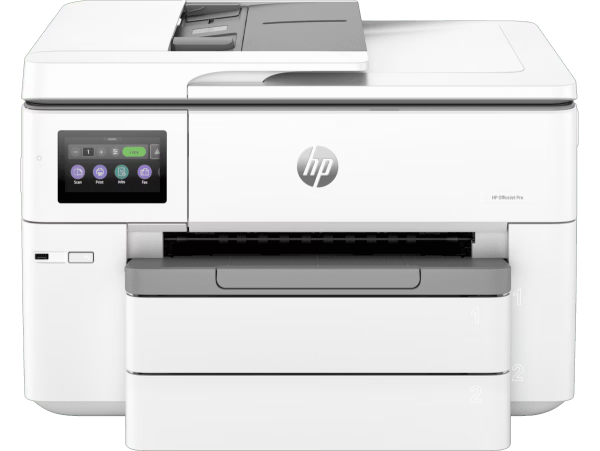
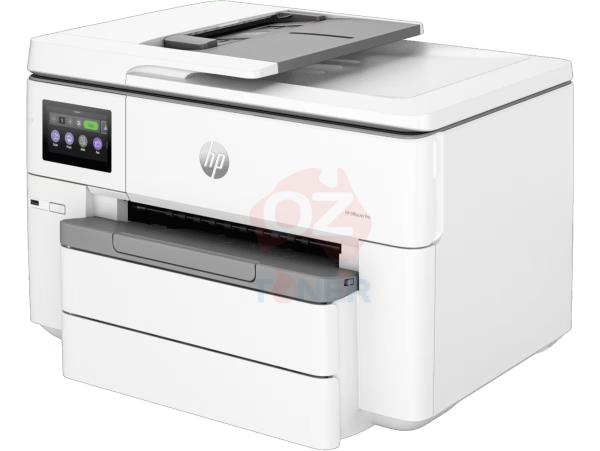
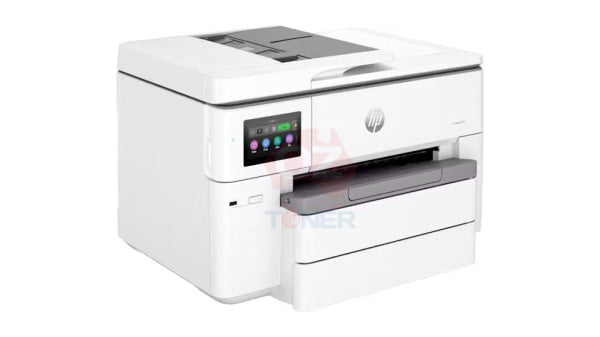
The HP OfficeJet Pro 9730e Wide Format All-in-One Printer [537P6B] is a powerful A3 colour inkjet multifunction printer designed for home offices, professional users and growing businesses that need the flexibility to print, copy and scan documents up to A3 size. Combining fast business-class colour printing with automatic duplex, a 35-sheet Automatic Document Feeder and generous dual-tray paper handling, it provides a versatile alternative to larger office printing systems.
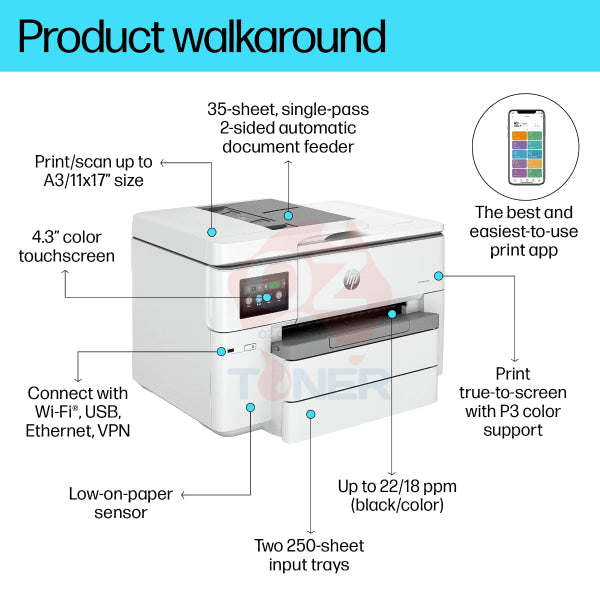
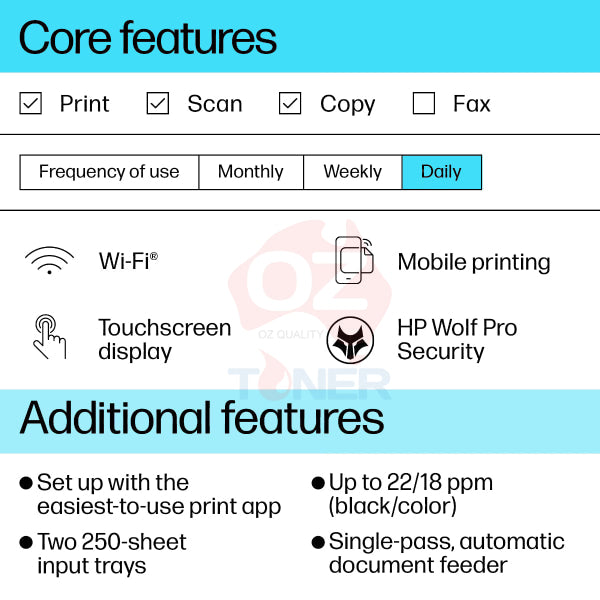
With ISO print speeds of up to 22ppm black and 18ppm colour, two 250-sheet input trays providing up to 500 sheets total capacity, Ethernet and dual-band Wi-Fi connectivity, plus a large 4.3-inch colour touchscreen, the OfficeJet Pro 9730e is particularly well suited to businesses that regularly work with both A4 and A3 documents.
- ✔ Print + Copy + Scan
- ✔ Wide Format Printing & Scanning up to A3
- ✔ Up to 22ppm Black / 18ppm Colour ISO
- ✔ Automatic 2-Sided Duplex Printing
- ✔ 35-Sheet Automatic Document Feeder
- ✔ Dual 250-Sheet Input Trays – 500 Sheets Total
- ✔ Borderless Printing up to A3 / 11 × 17"
- ✔ Dual-Band Wi-Fi + Wi-Fi Direct + Ethernet + USB
- ✔ 4.3" Colour Capacitive Touchscreen
- ✔ HP App & Mobile Printing Support
- ✔ HP Instant Ink Eligible
- ✔ Uses HP 936 / 936e Ink Cartridge Family
A3 Wide Format Printing for Business
The OfficeJet Pro 9730e expands beyond standard A4 office printing by supporting wide-format output up to A3. This provides considerably more flexibility for businesses that regularly produce spreadsheets, plans, diagrams, presentations, posters, marketing materials and other documents that benefit from a larger page size.
Borderless printing is also supported up to A3 / 11 × 17 inches, making the printer useful for presentations, promotional material and visual documents where edge-to-edge output is required.
Key Features
- ✔ A3 Wide Format Colour Inkjet Multifunction Printer
- ✔ Print, Copy & Scan Functions
- ✔ HP Thermal Inkjet Technology
- ✔ Up to 22ppm Black ISO Print Speed
- ✔ Up to 18ppm Colour ISO Print Speed
- ✔ Up to 34ppm General Office / Draft Printing
- ✔ First Black Page from Approximately 12 Seconds
- ✔ First Colour Page from Approximately 13 Seconds
- ✔ Up to 1,200 × 1,200 Rendered dpi Black
- ✔ Up to 4,800 × 1,200 Optimised dpi Colour
- ✔ Automatic Duplex Printing
- ✔ 35-Sheet Automatic Document Feeder
- ✔ Dual 250-Sheet Input Trays
- ✔ Up to 500-Sheet Total Input Capacity
- ✔ 75-Sheet Output Tray
- ✔ Borderless Printing up to A3
- ✔ 4.3" Capacitive Colour Touchscreen
- ✔ Dual-Band Wi-Fi
- ✔ Wi-Fi Direct
- ✔ Ethernet Networking
- ✔ Hi-Speed USB 2.0
- ✔ HP App Mobile Printing Support
- ✔ Apple AirPrint & Mopria Support
- ✔ HP Instant Ink Eligible
Dual 250-Sheet Paper Trays
One of the standout features of the HP OfficeJet Pro 9730e is its dual input tray system. Two 250-sheet trays provide a combined input capacity of up to 500 sheets, reducing the frequency of paper refills and providing additional flexibility for businesses using different paper sizes or media.
For example, users can keep commonly used office paper ready in one tray while loading another supported size or media type in the second tray, making the printer particularly practical in mixed-document environments.
35-Sheet Automatic Document Feeder
The built-in 35-sheet Automatic Document Feeder (ADF) makes it easier to scan and copy multi-page documents without manually placing every original onto the scanner glass.
Combined with wide-format scanning capability, this makes the 9730e useful for businesses that need to digitise larger documents as well as conventional A4 paperwork.
Automatic Duplex Printing
Built-in automatic two-sided printing helps reduce paper consumption and makes it easy to produce professional double-sided business documents without manually turning pages over.
This is particularly useful for reports, proposals, training documents, presentations and other multi-page office material.
Fast Business Colour Printing
The OfficeJet Pro 9730e delivers ISO print speeds of up to 22 pages per minute in black and 18 pages per minute in colour. In General Office / draft mode, speeds can reach up to 34ppm.
First-page output is as fast as approximately 12 seconds for black and 13 seconds for colour, helping the printer respond quickly to everyday office print jobs.
Flexible Wired & Wireless Connectivity
The HP OfficeJet Pro 9730e provides multiple connectivity options for individual users and shared office environments:
- Dual-Band Wi-Fi 802.11 a/b/g/n/ac
- Wi-Fi Direct
- Ethernet Networking
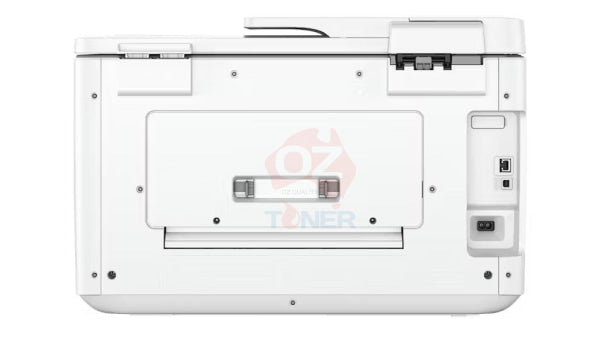
- Hi-Speed USB 2.0 Device Port
- Hi-Speed USB 2.0 Host Port
- HP App
- Apple AirPrint
- Mopria Certified Mobile Printing
Built-in Ethernet makes the printer particularly suitable for shared business networks, while Wi-Fi and Wi-Fi Direct provide flexible wireless printing from compatible computers, smartphones and tablets.
4.3-Inch Colour Touchscreen
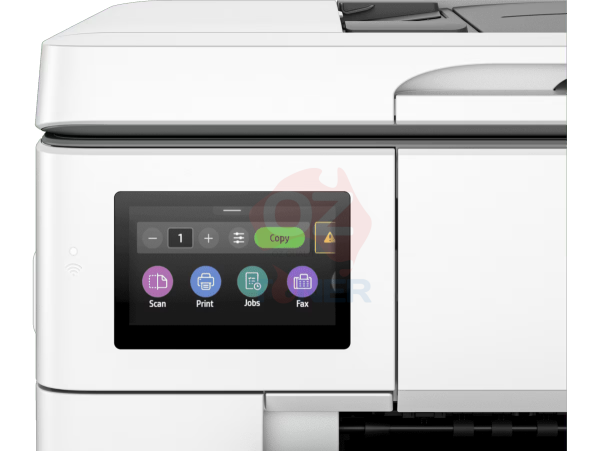
A large 4.3-inch capacitive colour touchscreen provides convenient access to printer functions, settings, copy and scan workflows and device information directly from the printer.
The touchscreen interface helps simplify everyday operation in shared office environments where different users may need quick access to common functions.
Paper Handling
| Maximum Document / Print Size | Up to A3 |
| Input Tray 1 | Up to 250 Sheets |
| Input Tray 2 | Up to 250 Sheets |
| Total Input Capacity | Up to 500 Sheets |
| Automatic Document Feeder | Up to 35 Sheets |
| Output Capacity | Up to 75 Sheets |
| Automatic Duplex | Yes |
| Borderless Printing | Yes – Up to A3 / 11 × 17" |
| Supported Media Weight | 34–250gsm |
Product Specifications
| Brand | HP |
| Model | OfficeJet Pro 9730e |
| Manufacturer Part Number | 537P6B |
| Printer Type | A3 Wide Format Colour Inkjet Multifunction Printer |
| Functions | Print / Copy / Scan |
| Print Technology | HP Thermal Inkjet |
| Maximum Print Size | A3 |
| Black Print Speed | Up to 22ppm ISO |
| Colour Print Speed | Up to 18ppm ISO |
| General Office / Draft Speed | Up to 34ppm |
| First Page Out – Black | As Fast as 12 Seconds |
| First Page Out – Colour | As Fast as 13 Seconds |
| Black Print Resolution | Up to 1,200 × 1,200 Rendered dpi |
| Colour Print Resolution | Up to 4,800 × 1,200 Optimised dpi |
| Automatic Duplex | Yes |
| ADF | 35 Sheets |
| Paper Input | 2 × 250-Sheet Trays / 500 Sheets Total |
| Paper Output | Up to 75 Sheets |
| Borderless Printing | Yes – Up to A3 / 11 × 17" |
| Connectivity | Ethernet / USB 2.0 / Dual-Band Wi-Fi / Wi-Fi Direct |
| Mobile Printing | HP App / Apple AirPrint / Mopria / Wi-Fi Direct |
| Display | 4.3" Capacitive Colour Touchscreen |
| Processor | 1.2GHz |
| Monthly Duty Cycle | Up to 30,000 Pages |
| Recommended Monthly Volume | 250–1,500 Pages |
| Instant Ink | Eligible |
| Dimensions (W × D × H) | 581 × 467 × 386mm Minimum |
| Weight | Approx. 19.5kg |
| Condition | New |
HP 936 & 936e Ink Cartridge System
The OfficeJet Pro 9730e uses four separate ink cartridges – Black, Cyan, Magenta and Yellow – allowing each colour to be replaced independently when required.
| Cartridge | Colour |
| HP 936 | Black |
| HP 936 | Cyan |
| HP 936 | Magenta |
| HP 936 | Yellow |
| HP 936e EvoMore | Black / Cyan / Magenta / Yellow |
Please check the exact cartridge part number and regional compatibility when purchasing replacement ink.
HP Instant Ink Eligible
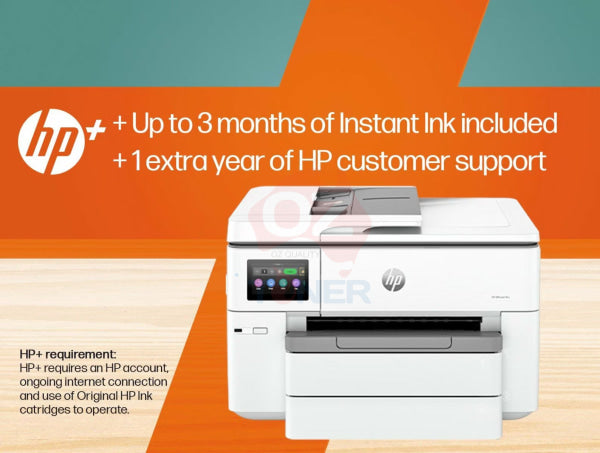
The OfficeJet Pro 9730e is HP Instant Ink eligible. HP Instant Ink is an optional subscription service where eligible customers can select a printing plan and receive replacement ink according to the applicable service terms.
An Instant Ink subscription is not required for normal printer operation. Customers can instead purchase supported replacement ink cartridges as required.
HP+ Enabled Printer
The OfficeJet Pro 9730e is an HP+ enabled printer. HP+ is optional at initial product setup. Customers choosing to activate HP+ should review HP's current HP+ conditions before activation, as HP specifies requirements including an HP account, an ongoing internet connection and exclusive use of Original HP ink cartridges for the life of the printer under the HP+ program.
Dynamic Security
This printer uses HP dynamic security technology. HP states that the printer is intended to work with cartridges using a new or reused HP chip, and periodic firmware updates may maintain or modify the effectiveness of these security measures.
Customers intending to use non-HP cartridges should take HP's dynamic security policy into consideration when selecting this printer.
Ideal For
- ✔ Small & Medium Businesses
- ✔ Home Offices
- ✔ Professional & Consulting Offices
- ✔ Real Estate & Property Businesses
- ✔ Construction & Trade Offices
- ✔ Schools & Educational Environments
- ✔ Users Requiring A3 Printing & Scanning
- ✔ Businesses Printing Spreadsheets & Large Documents
- ✔ Marketing & Presentation Materials
- ✔ Shared Workgroups Requiring Dual Paper Trays
Compact A3 Capability
Despite its A3 wide-format capability and dual 250-sheet paper trays, the OfficeJet Pro 9730e has a minimum footprint of approximately 581 × 467 × 386mm and weighs approximately 19.5kg.
This makes it a practical desktop or dedicated-office printer for businesses that need A3 functionality without moving to a substantially larger floor-standing device.
Why Choose the HP OfficeJet Pro 9730e?
The OfficeJet Pro 9730e stands out by combining A3 printing and scanning, dual 250-sheet paper trays, a 35-sheet ADF, automatic duplex, fast 22ppm black / 18ppm colour printing and comprehensive wired and wireless networking in one business-oriented multifunction printer.
For offices that routinely switch between A4 and A3 documents, the dual-tray design is particularly useful, while Ethernet, Wi-Fi and mobile printing support make the printer suitable for both individual users and shared workgroups.
Frequently Asked Questions (FAQ)
Can the HP OfficeJet Pro 9730e print A3?
Yes. The OfficeJet Pro 9730e is a wide-format A3 printer and supports printing up to A3 / 11 × 17 inches.
Can the HP 9730e scan A3 documents?
Yes. The OfficeJet Pro 9730e is designed for wide-format printing and scanning up to A3, making it useful for larger business documents, plans and other oversized originals.
Does the HP OfficeJet Pro 9730e have an Automatic Document Feeder?
Yes. It includes a 35-sheet Automatic Document Feeder for convenient multi-page scanning and copying.
Does the HP 9730e automatically print double-sided?
Yes. The printer supports automatic duplex printing for compatible media and paper sizes.
How many paper trays does the HP OfficeJet Pro 9730e have?
The printer has two 250-sheet input trays, providing a combined standard input capacity of up to 500 sheets.
Can I keep A4 and A3 paper loaded at the same time?
The dual-tray design provides greater flexibility for keeping different supported media sizes available. Configure each tray according to the paper size and type loaded and select the appropriate paper source when printing.
Does the HP 9730e have Wi-Fi?
Yes. It includes dual-band Wi-Fi and Wi-Fi Direct. It also supports wired Ethernet and USB connectivity.
Can I connect the HP 9730e directly to my office network?
Yes. Built-in Ethernet networking allows the printer to be connected directly to a compatible wired business network.
Can I print from a smartphone or tablet?
Yes. Mobile printing options include the HP App, Apple AirPrint, Mopria and Wi-Fi Direct from compatible devices.
Which ink cartridges does the HP OfficeJet Pro 9730e use?
The printer uses the HP 936 ink cartridge family, with separate Black, Cyan, Magenta and Yellow cartridges. HP also lists compatible 936e EvoMore cartridges. Cartridge availability and part numbers can vary by region.
Is the HP OfficeJet Pro 9730e compatible with HP Instant Ink?
Yes. The 9730e is HP Instant Ink eligible. Instant Ink is an optional subscription service and is not required for normal printing with supported cartridges.
Do I have to activate HP+?
No. HP identifies the 9730e as an HP+ enabled printer and states that HP+ can be selected during product setup. Customers should review HP's current HP+ terms carefully before choosing to activate the service.
Does the HP OfficeJet Pro 9730e support borderless A3 printing?
Yes. HP specifies borderless printing up to A3 / 11 × 17 inches on supported media.
Is the HP 9730e suitable for high-volume office printing?
HP specifies a maximum monthly duty cycle of up to 30,000 pages, with a recommended monthly print volume of approximately 250 to 1,500 pages. The dual 250-sheet trays and high-capacity ink options make it particularly practical for regular small-business and office workloads.
HP OfficeJet Pro 9730e Wide Format All-in-One Printer Instant Ink Enabled+Wi-Fi+Dual Tray [537P6B]
The HP OfficeJet Pro 9730E Wide Format All-in-One Printer offers a variety of functions, multitasking support, and wireless printing convenience, making it a versatile staple for your productivity needs.
Keep Reinventing
Wireless Printing
Print images and documents wirelessly, thanks to the HP OfficeJet Pro All-in-One Printer’s built-in dual-band Wi-Fi. Connect your laptop or mobile device directly and have your images or documents printed, hassle-free.
Touch Controls
Operating the OfficeJet Pro Printer is made easy with its built-in 4.3-inch Capacitive Touchscreen CGD. This intuitive touchscreen allows you to customise your shortcuts, so you can quickly and easily get to printing with your preferred settings.
Functional Convenience
With a processor speed of 1.2 GHz and up to 30,000 pages Duty cycle, the HP OfficeJet Pro All-in-One Printer lets you print more with less time, ideal for on-the-go reporting or meeting tough deadlines.
| Barcode (GTIN) | 196337487963 |
|---|---|
| Product Type | Inkjet Colour Printers |
| Brand | HP |
| Model | HP OJ PRO 9730E WF |
| Colour | White |
| Max Black Print Speed (ppm) | 34 |
| Max Colour Print Speed (ppm) | 34 |
| Black Print Resolution (dpi) | 1200 x 1200 |
| Colour Print Resolution (dpi) | 4800 x 1200 |
| Print Document Size | A4 |
| Max Optical Scan Resolution (dpi) | 1200 |
| Connectivity | Ethernet |
| Weight (kg) | 24.45 |
| Manufacturers Express Warranty (months) | 12 |


Estimate shipping