

![Discontinued Kyocera M2735dw A4 Mono Laser MFP 35PPM [1102SG3AS0] – Replaced by MA3501wfx](http://nztoner.com/cdn/shop/files/KyoceraM2735DWMonoMulti-functionLaserPrinter_1200x_89a42a77-e0af-452b-a12b-d2e9d5757c5f.webp?v=1752845653&width=1180)
![Discontinued Kyocera M2735dw A4 Mono Laser MFP 35PPM [1102SG3AS0] – Replaced by MA3501wfx](http://nztoner.com/cdn/shop/files/Kyocera-M2735DW-A4-Mono-Laser-MFP.jpg?v=1752845653&width=400)


![Discontinued Kyocera M2735dw A4 Mono Laser MFP 35PPM [1102SG3AS0] – Replaced by MA3501wfx](http://nztoner.com/cdn/shop/files/KyoceraM2735DWMonoMulti-functionLaserPrinter_1200x_89a42a77-e0af-452b-a12b-d2e9d5757c5f_1024x.webp?v=1752845653)
![Discontinued Kyocera M2735dw A4 Mono Laser MFP 35PPM [1102SG3AS0] – Replaced by MA3501wfx](http://nztoner.com/cdn/shop/files/Kyocera-M2735DW-A4-Mono-Laser-MFP_1024x.jpg?v=1752845653)
Description

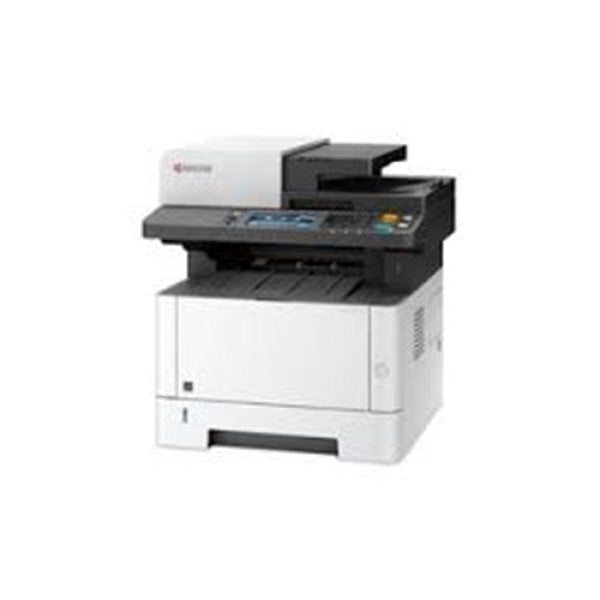
Looking for the Kyocera ECOSYS M2735dw [1102SG3AS0]? This model has now been officially discontinued by Kyocera and has been replaced by the newer Kyocera ECOSYS MA3501wfx.
The new MA3501wfx retains the key strengths of the M2735dw — 35ppm A4 mono printing, Print/Copy/Colour Scan/Fax, automatic duplex printing, Gigabit Ethernet, Wi-Fi and a 4.3-inch colour touchscreen — while adding a newer platform, substantially more memory, modern dual-band wireless connectivity and updated cloud/mobile printing support.
✓ Kyocera M2735dw [1102SG3AS0] is now discontinued
✓ Official Kyocera replacement: ECOSYS MA3501wfx [110C3C3AU0]
✓ Same 35ppm A4 print speed
✓ Print, Copy, Colour Scan & Fax
✓ Automatic Duplex Printing
✓ Gigabit Ethernet + Built-in Wi-Fi
✓ Newer 2GB memory platform
✓ 4.3" Full-Colour Touchscreen
✓ Modern AirPrint, Mopria & Microsoft Universal Print support
We now supply the newer MA3501wfx replacement model.
Kyocera M2735dw – Officially Replaced by MA3501wfx
Kyocera Australia has officially discontinued the ECOSYS M2735dw and nominated the Kyocera ECOSYS MA3501wfx as its replacement model.
For customers replacing an existing M2735dw, or businesses that originally specified the M2735dw, the MA3501wfx is the current-generation model to consider.
M2735dw vs MA3501wfx – What Has Changed?
| Feature | ECOSYS M2735dw | ECOSYS MA3501wfx |
| Status | Discontinued | Current Replacement |
| Functions | Print / Copy / Colour Scan / Fax | Print / Copy / Colour Scan / Fax |
| A4 Print Speed | Up to 35ppm | Up to 35ppm |
| Print Resolution | Up to 1200 dpi | Up to 1200 × 1200 dpi |
| Automatic Duplex | Yes | Yes |
| Standard Memory | 512MB | 2GB |
| Processor | 800MHz | 1.0GHz ARM Cortex-A53 |
| Display | 4.3" Colour Touchscreen | 4.3" Colour Touchscreen |
| Ethernet | Gigabit Ethernet | Gigabit Ethernet |
| Wi-Fi | Built-in Wireless LAN | Dual-Band Wi-Fi + Wi-Fi Direct |
| Standard Paper Input | 350 Sheets | 350 Sheets |
| Maximum Paper Input | 850 Sheets | 850 Sheets |
| Dimensions | 417 × 412 × 437 mm | 417 × 412 × 437 mm |
| Replacement Toner | TK-1184 – Approx. 3,000 pages | TK-1294 – Approx. 3,000 pages |
Same Compact Size – Newer Technology
One of the advantages of the MA3501wfx as a direct replacement is that Kyocera has retained virtually the same physical footprint. Both models measure approximately 417 × 412 × 437 mm, making the new model particularly convenient for businesses replacing an existing M2735dw.
The newer MA3501wfx significantly increases standard memory from 512MB to 2GB and moves to a newer 1.0GHz ARM Cortex-A53 processor, providing a more modern platform for network, mobile and document workflow functions.
35PPM Print, Copy, Colour Scan & Fax
Like the M2735dw, the replacement MA3501wfx is a complete four-function business multifunction device:
- Print – Up to 35ppm A4 monochrome
- Copy – Standalone monochrome copying
- Scan – Colour and monochrome document scanning
- Fax – Integrated Super G3 fax
This makes the MA3501wfx a straightforward migration path for businesses that rely on all four functions of their existing M2735dw.
Built-In Wi-Fi, Ethernet & Modern Mobile Printing
The MA3501wfx provides Gigabit Ethernet together with built-in dual-band 2.4GHz / 5GHz Wi-Fi and Wi-Fi Direct.
It also supports modern mobile and cloud printing technologies including Apple AirPrint, Mopria and Microsoft Universal Print, making it better suited to contemporary mixed-device office environments.
Automatic Duplex Printing
Automatic two-sided printing remains standard, allowing businesses to produce professional double-sided reports and documents while reducing paper consumption.
Flexible 350-Sheet Paper Capacity
Both generations provide a useful standard input capacity of approximately 350 sheets:
- 250-sheet universal paper cassette
- 100-sheet multi-purpose tray
The MA3501wfx can also accept up to two optional 250-sheet PF-1100 paper feeders, increasing maximum input capacity to approximately 850 sheets.
Important: The Toner Cartridge Has Changed
Although the MA3501wfx is the official replacement for the M2735dw, the two printers do not use the same toner cartridge.
The discontinued M2735dw uses the Kyocera TK-1184 Black Toner, rated at approximately 3,000 pages.
The new MA3501wfx uses the Kyocera TK-1294 Black Toner, also rated at approximately 3,000 pages.
Important: Existing spare TK-1184 toner cartridges from an M2735dw cannot be transferred to the new MA3501wfx.
Original Kyocera M2735dw Specifications
| Brand | Kyocera |
| Model | ECOSYS M2735dw |
| Part Number | 1102SG3AS0 |
| Status | Discontinued – Replaced by ECOSYS MA3501wfx |
| Functions | Print, Copy, Colour Scan, Fax |
| Print Speed | Up to 35ppm A4 |
| Print Resolution | 300 / 600 / 1200 dpi |
| Memory | 512MB Standard, up to 1,536MB |
| Display | 4.3" Full-Colour Touchscreen |
| Automatic Duplex | Yes |
| Connectivity | USB 2.0, Gigabit Ethernet, Wireless LAN, USB Host |
| Standard Paper Input | 350 Sheets |
| Maximum Paper Input | 850 Sheets |
| Toner | Kyocera TK-1184 – Approx. 3,000 Pages |
| Dimensions | 417 × 412 × 437 mm |
| Weight | Approx. 19 kg |
Current Replacement: Kyocera ECOSYS MA3501wfx
If you originally specified an M2735dw or need to replace an existing unit, we recommend moving to the current Kyocera ECOSYS MA3501wfx.
It retains the same 35ppm performance and compact dimensions while providing a newer processor, 2GB memory, dual-band Wi-Fi, Wi-Fi Direct and updated mobile/cloud printing support.
Frequently Asked Questions (FAQ)
Is the Kyocera M2735dw discontinued?
Yes. Kyocera Australia officially lists the ECOSYS M2735dw as discontinued.
What replaces the Kyocera M2735dw?
Kyocera Australia officially identifies the ECOSYS MA3501wfx as the replacement model for the M2735dw.
Is the MA3501wfx the same speed as the M2735dw?
Yes. Both models provide A4 monochrome print speeds of up to 35 pages per minute.
Does the replacement MA3501wfx have Wi-Fi?
Yes. The MA3501wfx includes built-in dual-band Wi-Fi, Wi-Fi Direct and Gigabit Ethernet.
Does the MA3501wfx have fax?
Yes. Like the M2735dw, the MA3501wfx includes integrated Super G3 fax functionality.
Can I use my old M2735dw toner in the MA3501wfx?
No. The toner cartridges are different. The M2735dw uses TK-1184, while the MA3501wfx uses TK-1294. Both are rated at approximately 3,000 pages, but they are different toner kits and are not interchangeable.
Is the MA3501wfx physically larger than the M2735dw?
No significant additional space is required. Kyocera specifies the same overall dimensions of approximately 417 × 412 × 437 mm for both models.
Last Updated Date: 21 September 2026
